Orbit v1.3 — Apple Spatial Audio, New HRTFs, and Faster Than Ever
Apple Spatial Audio with head tracking and personalised profiles, four built-in HRTFs including Orbit Studio and Orbit Reference, a custom streaming ADM parser with up to 80% lower memory usage, redesigned meters, and binaural monitoring tools.
Orbit 1.3 is here — and it’s a big one.
We’ve been heads-down building the features our users have been asking for. As a small team, every release is personal — this one especially so. Apple Spatial Audio support, completely reworked built-in HRTFs, a custom-built streaming ADM parser, redesigned meters, and new binaural monitoring tools. Let’s get into it.
Not tried Orbit? Start a free 14-day trial or purchase a licence — no credit card required for the trial.
Apple Spatial Audio
The headline feature. Orbit now supports Apple Spatial Audio as a monitoring mode alongside Multichannel, Binaural, and Stereo. This uses Apple's own spatial audio engine with high-quality HRTF rendering — the same pipeline that powers Logic Pro, Final Cut Pro, and Apple Music.
Four sub-modes are available:
- Static — Apple HRTF without head tracking (any headphones)
- Static Personalised — Uses your personal ear scan profile (any headphones)
- Head Tracking — Real-time head tracking via AirPods/Beats
- Head Tracking Personalised — Head tracking with personalised HRTF
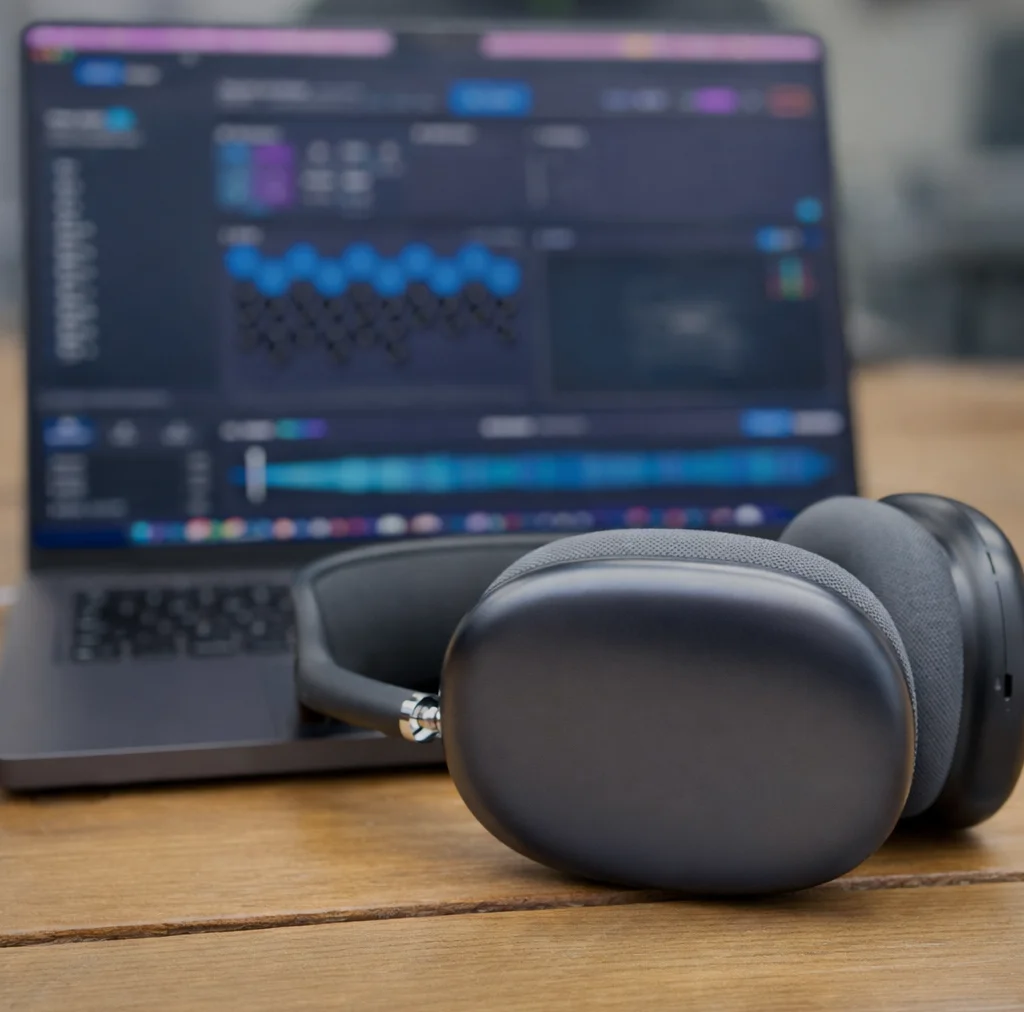
Orbit automatically detects whether your connected headphones support head tracking and personalised HRTF, and shows only the modes available to you.
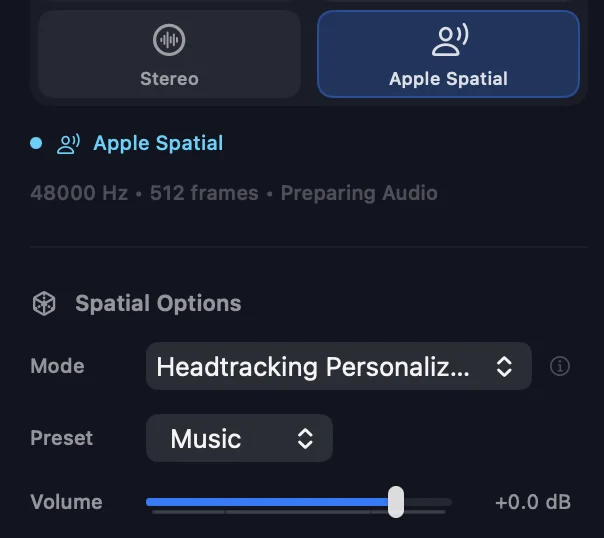
An independent volume control is provided for Apple Spatial Audio output, with a dB slider in the sidebar matching the range of the master fader (-60 to +12 dB).
What this means in practice: you can hear exactly what your audience will hear on Apple Music — before your mix goes live. No guesswork, no approximation.
Expanded HRTF Library
The binaural monitoring section now ships with four built-in HRTF profiles:
Orbit Studio
A synthesised HRTF designed to work well with most headphones. Includes a baked-in bass shelf (+7 dB at 150 Hz) for natural low-frequency perception through headphones, and height channel balance correction for consistent top-to-bottom imaging.
Orbit Reference
Diffuse-field compensated Neumann KU100 measurements from the SADIE II database. Removes the dummy head’s tonal coloration while preserving all spatial cues (ITD, ILD, spectral shape). Designed for tonally neutral, reference-grade binaural monitoring.
SADIE II KU100
Raw Neumann KU100 dummy head measurements. Uncompensated — retains the natural KU100 tonal character for users who prefer it.
SADIE II KEMAR
Raw GRAS KEMAR dummy head measurements. Uncompensated — retains the natural KEMAR tonal character.
Custom SOFA files remain fully supported. The new built-ins simply mean you have excellent options from the moment you launch the app.
Here’s how the four profiles compare — select a profile or use Compare All to overlay them. Orbit Studio’s bass shelf is clearly visible below 200 Hz, while Orbit Reference stays flat across the range.
SADIE II measurements are Copyright 2018, University of York, licensed under the Apache License, Version 2.0. Full attribution is shown in the HRTF info popover.
Upgraded Meter Visuals
The metering display has been redesigned:
- Position-fixed gradient colouring — green, yellow, orange, red mapped to absolute dB levels
- Peak hold indicators — 1.5-second hold time with 40 dB/s decay
- Vertical channel labels for cleaner layout
- Smoother attack/release behaviour across the board
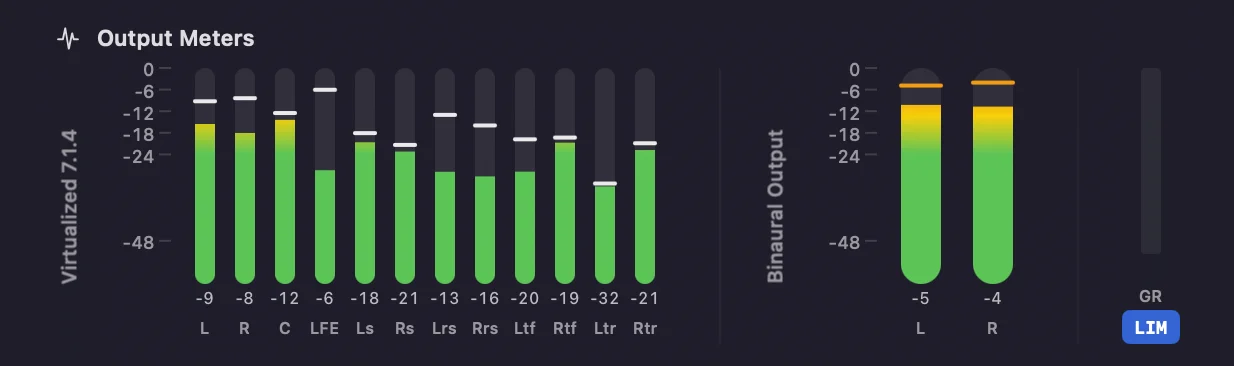
Binaural Limiter
Binaural monitoring now includes a peak limiter to prevent clipping on headphone output. A -3 dB trim is applied by default with a lookahead limiter at -1 dBTP. A gain reduction indicator is shown in the meters area, and the limiter can be bypassed if preferred.
Binaural Loudness Metering
Loudness metering now works in binaural monitoring mode, measuring the 2-channel binaural output rather than the internal 7.1.4 speaker feeds.
This is useful for sanity-checking your binaural render — comparing loudness between HRTF profiles, spotting unexpected level differences when switching SOFA files, or simply getting a feel for how loud the binaural output is relative to the multichannel mix. It’s a reference tool, not a delivery measurement — for accurate metering, always use the multichannel output.
Accurate ADM Parsing up to 7.1.4
Orbit now correctly identifies all standard ADM bed formats from mono (1.0) through to 7.1.4, including files that use ITU-R BS.2094 Common Definitions. This has been verified against EBU/BBC test material and ADM BWF files from Dolby Atmos sessions.
Previously, some ADM files — particularly those from BBC and other broadcasters that rely on Common Definitions rather than inline metadata — could be misidentified.
Support for additional layouts such as 22.2 and Scene Based ADMs is planned for a future release of Orbit Pro.
Faster Loading & Lower Memory Usage
File loading has been substantially reworked for large ADM files.
Orbit now uses a custom-built streaming ADM parser, replacing the previous open-source library. A 17.3 GB ADM file with a 7.1.2 bed and 26 objects loads in under 12 seconds.
Playback is available immediately after loading — waveform calculation runs in the background, so you can start listening while waveforms build progressively.
Key improvements:
- Up to 80% reduction in peak memory usage for large ADM files
- Spatial keyframe deduplication — redundant and imperceptible position data is removed during loading, typically reducing memory usage by 60–90%
- Improved RF64 container handling for better compatibility with large ADM BWF files
This was one of the most requested improvements, and it changes the daily workflow significantly. Drop in a file, press play, and get to work.
Here’s a 17.3 GB ADM file — 7.1.2 bed with 26 objects, just under 50 minutes long — loading in real time:
Open Recent
The File menu now includes an Open Recent submenu, making it easy to reopen previously loaded ADM files without navigating the file picker each time. Recent files persist across app restarts.
We’re bringing Orbit’s binaural renderer and Apple Spatial Audio engine to a new product: Orbit Monitor — a standalone app and AU/VST3 plugin built for binaural monitoring in any DAW.
If you mix immersive audio in Reaper, Nuendo, or Ableton, Orbit Monitor lets you check what your mix sounds like on Apple Music — with Apple Spatial Audio rendering, built-in HRTFs (Orbit Studio, Orbit Reference, SADIE II), head tracking via AirPods, and personalised spatial audio profiles. Insert it on your master bus or run the standalone app with internal audio routing.
AAX support is coming — it’ll take us a bit longer to get through the Avid certification process. In the meantime, Pro Tools users can run the standalone app with internal audio routing (e.g. Blackhole) for the same monitoring experience.
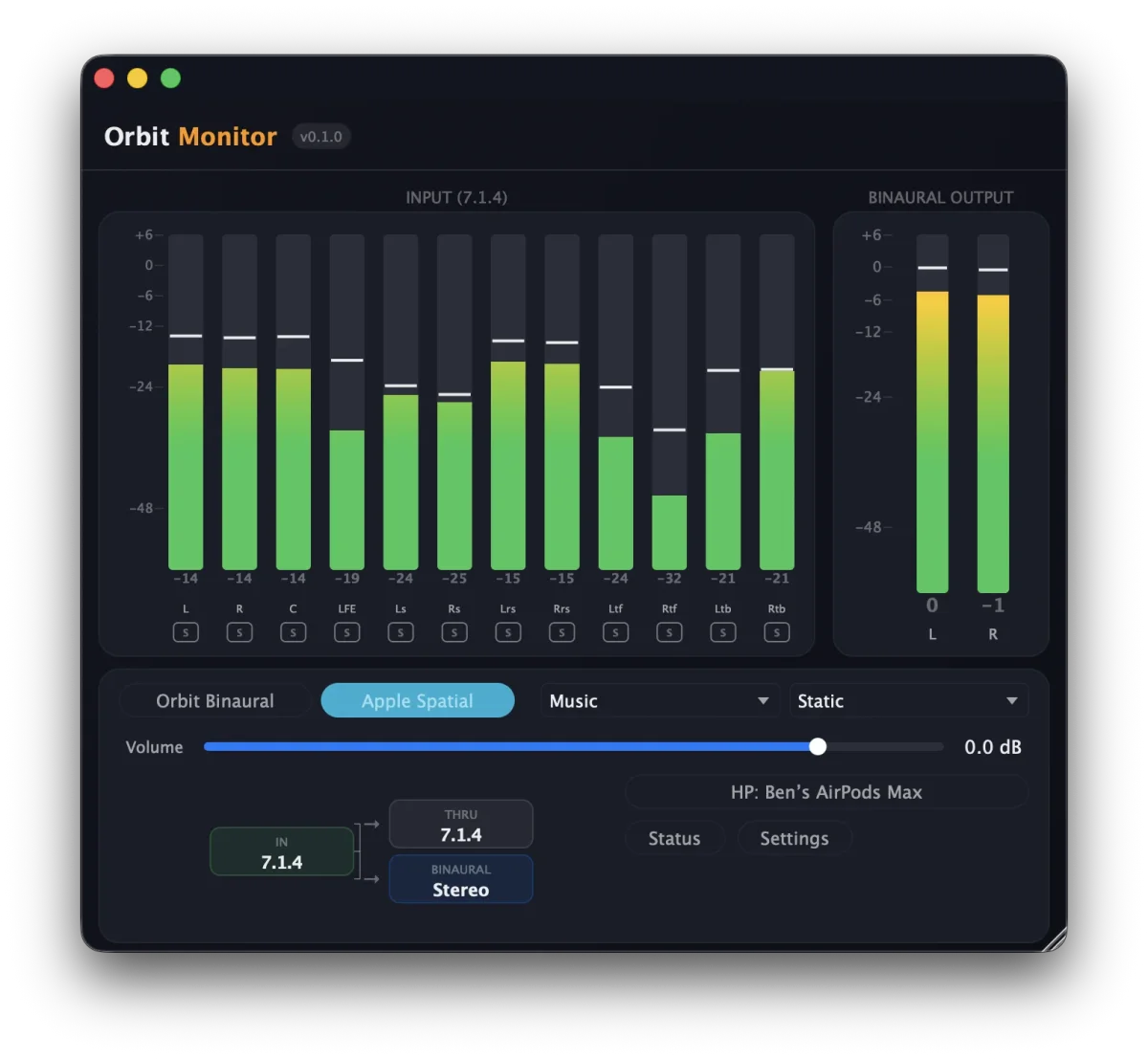
Orbit Monitor is now open for beta testing. If you’d like to help us test, get in touch — we’d love to hear from you. Orbit Monitor is due to release by the end of March — we’ll keep you all updated.
Find out more about Orbit Monitor
Orbit Lite — Available 9th March
Orbit Lite launches next Monday. A streamlined ADM playback tool at £29 — load an ADM file, choose your output (7.1.4, Binaural, Apple Spatial Audio, or Stereo), and press play. No QC tools, no complexity. Just reliable immersive playback.
Find out more about Orbit Lite
Bug Fixes
- Fixed update banner to always check API on launch
- Fixed release DMG rebuild to use APFS
- Fixed waveform spatial colouring accuracy with zero-copy keyframes
Ready to try it? Orbit is available as a free 14-day trial — no credit card required. Start your free trial or purchase a licence.
Interested in binaural monitoring for your DAW? Check out Orbit Monitor — open for beta testing now.