Spatial field
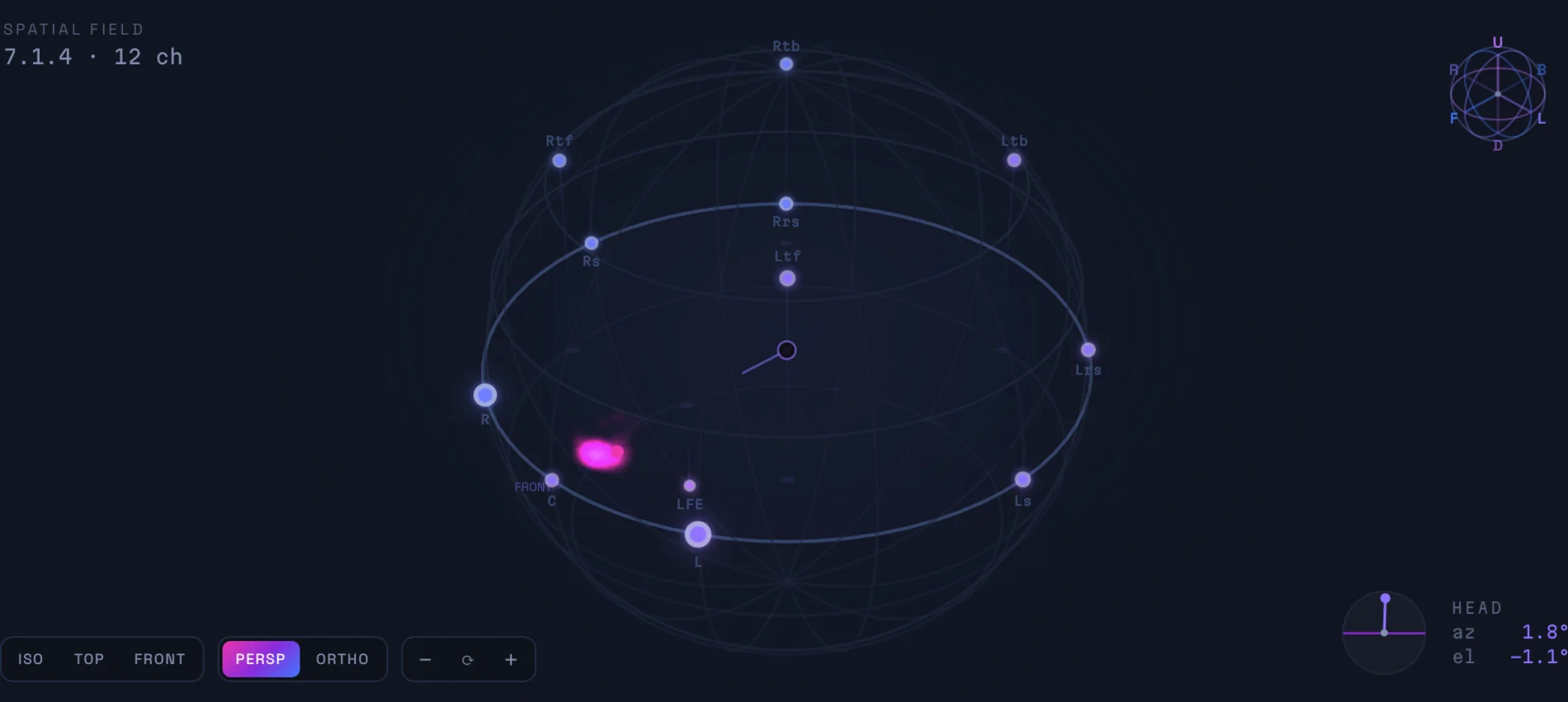
See where every channel sits
Know what the bed is doing without soloing it.
A live 3D field shows your 7.1.4 bed as virtual speakers — spatial weight and activity at a glance, from any angle.
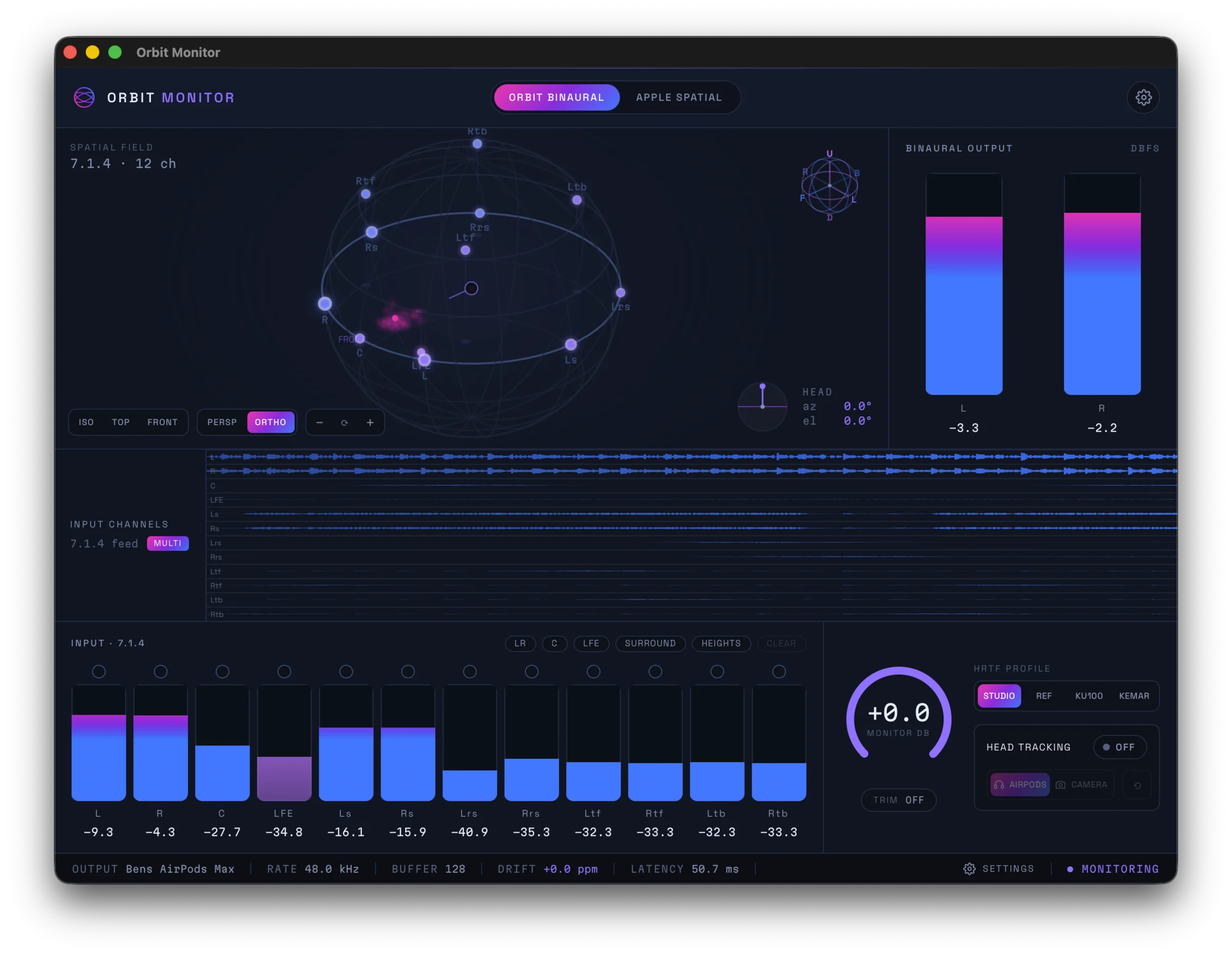
Two binaural engines, one click apart — our own Orbit Binaural, and Apple's renderer to check what Apple Music listeners actually hear.
Our render, and theirs — a click apart.
Our own binaural engine — a natural, externalised render we think is among the best-sounding HRTFs anywhere. Switch between Orbit Studio, Orbit Reference and the industry-reference Neumann KU100 and KEMAR.
Apple’s own renderer, to hear exactly what Apple Music listeners get — standard or your personalised profile. A/B against Orbit Binaural in a click.
Every channel going in, the binaural coming out, and the field it came from.
Know what the bed is doing without soloing it.
A live 3D field shows your 7.1.4 bed as virtual speakers — spatial weight and activity at a glance, from any angle.
See exactly what is feeding the render.
Per-channel waveforms for the whole 7.1.4 bed — L, R, C, LFE, surrounds and tops — in real time.

Catch a problem in the binaural, not just the bed.
The binaural output as a live L / R waveform, with a single-channel view when you want to focus in.

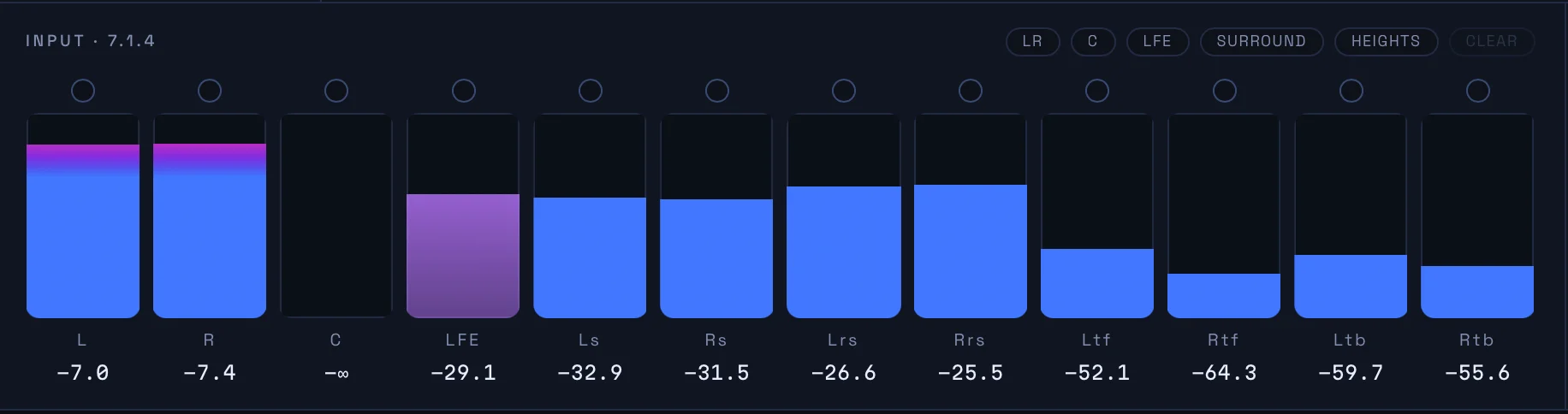
Isolate exactly what you are checking, in one tap.
Per-channel input meters for the full 7.1.4 bed with one-tap group solos — L/R, centre, LFE, surrounds or heights.
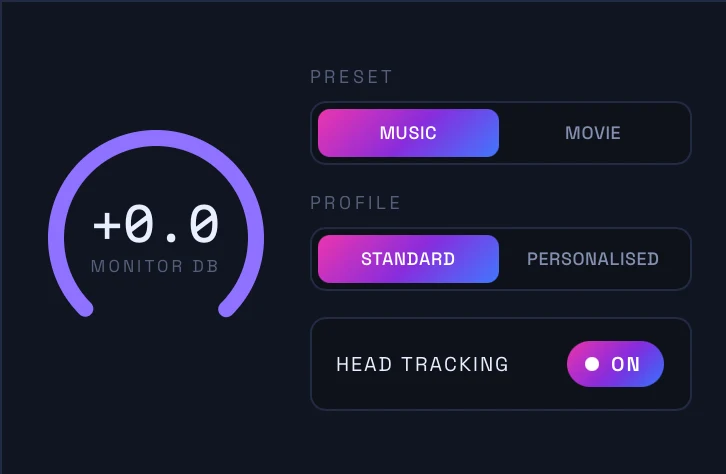
Check the render your listeners actually get.
Switch to Apple’s renderer in a click — Music or Movie, standard or your personalised profile, with head tracking.
Education £49 for verified students and teachers, with a 14-day free trial at launch.
Verified students and teachers get Orbit Monitor at £49 — same engines, same updates.
Orbit does ADM QC, loudness metering, object inspection, PDF reports, binaural export and custom HRTFs on top of monitoring.
See Orbit — £99These are floors — what the machine needs, not what the app uses. Its own footprint is a small fraction of the numbers below.
macOS 14 (Sonoma) or later
Apple Silicon — M1 or later
Apple Spatial Audio needs Apple Silicon, so there is no Intel or Windows build. Monitor is macOS only.
8 GB RAM
Every Apple Silicon Mac ships with at least this. It is what the Mac needs, not what Monitor takes — the app itself is a small fraction of it.
1 GB free
The app itself is a fraction of this.
Any host that loads AU, VST3 or CLAP
Monitor also runs standalone, with no host at all.
Two Macs per licence
The studio machine and a laptop, say. Sign out on a device whenever you like and its activation frees up straight away, ready to use somewhere else.
Orbit Monitor is coming soon. Tell us where to send the launch note.
Get notified about new products, features and updates from Orbit.
Thanks — we'll be in touch with news and updates from Orbit.