Orbit 1.3.1 & Orbit Lite 1.0.2 — New Loudness Tools, LBAP Panning, and PDF Export
Orbit 1.3.1 adds 5.1 re-render loudness, per-component metering, LRA, height channel weight toggle, LBAP panning, and a new PDF export dialogue. Orbit Lite 1.0.2 adds LBAP as the default panner.
Orbit 1.3.1 and Orbit Lite 1.0.2 ship today — with new loudness metering tools, a broadcast-standard 5.1 fold-down, and a brand new PDF export workflow.
Orbit 1.3.1
Build 40 · macOS 14+
Loudness & Metering
Orbit 1.3.1 adds several new loudness metering features, giving you a more detailed picture of how your spatial mix measures up.
5.1 Re-Render Loudness
Broadcast-standard 7.1.4 → 5.1 fold-down measurement. This is how broadcast QC chains actually measure immersive content — without this fold-down, loudness numbers can be misleading.
Orbit uses its own renderer, so ADM session loudness measurements may differ from Dolby Tools by up to ±1 LU. In our testing, most ADMs fall within ±0.2–0.3 LU. Objects using the size/width parameter may show slightly larger variations (up to ±1 LU).
Per-Component Loudness
Separate bed-only and object-only integrated LUFS readings. See exactly where your loudness budget is going — is it the bed carrying the programme, or are your objects pushing you over?
Height Channel Weight Toggle
Choose between “All +1.5 dB” (default) and strict BS.1770-4 interpretation. Different platforms and delivery specs treat height channels differently — now you can switch between approaches and see the impact on your measurement in real time.
Rendering
LBAP Panning Mode
Layer-Based Amplitude Panning decomposes the speaker layout into horizontal layers and interpolates between them, producing smoother and more predictable behaviour for elevated and ambiguous object positions. If you’re curious about the difference between VBAP and LBAP, we’ve published a deep dive with an interactive visualisation.
BS.2127 Extent Rendering
27-point MDAP sampling for accurate extent rendering, plus object power normalisation for energy-preserving panning.
PDF Reports
New PDF Export Dialogue — Choose between simple one-click exports and advanced configurations. Control which sections appear, how spatial metadata is presented, and tailor reports for specific delivery requirements.
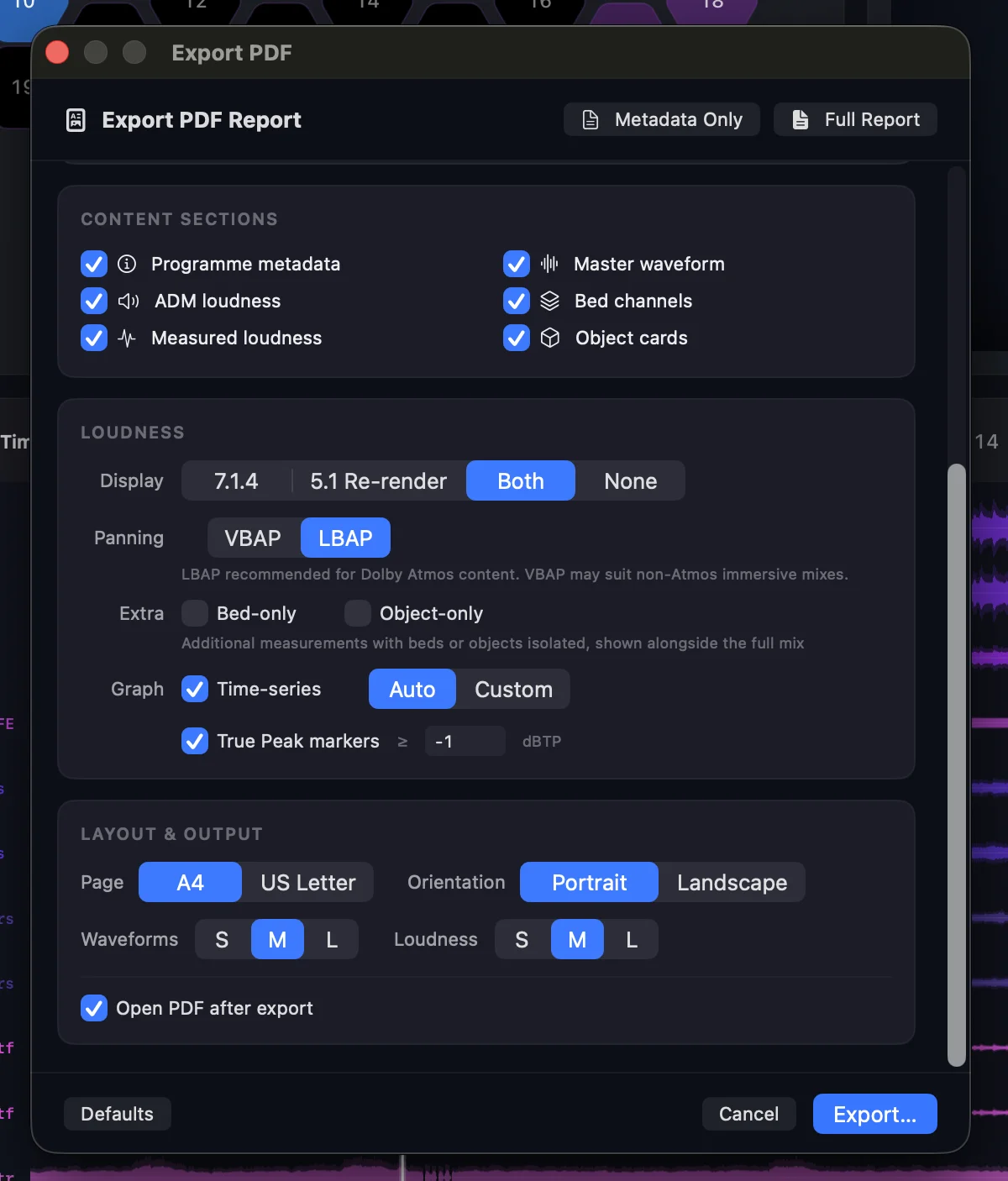
- Spatial options (panning mode, bed routing) now shown in reports
- Improved re-render disclaimer for height-based content
- Object width displayed in metadata
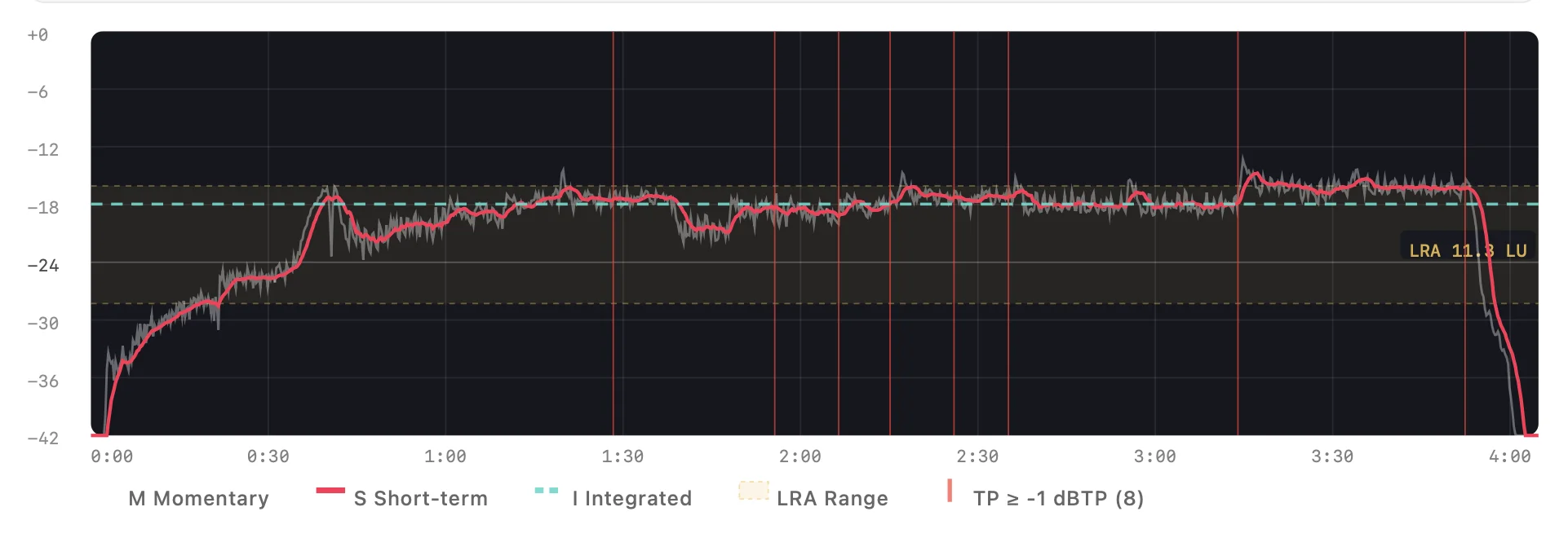
- Loudness time-series graph with True Peak detection markers and customisable dBTP threshold
Bug Fixes
- Fixed Gatekeeper warning dialog on first launch
Orbit Lite 1.0.2
Build 6 · macOS 14+
LBAP Panning Mode
Layer-Based Amplitude Panning is now the default — matching how the Dolby Renderer handles ambiguous object positions (origin, overhead). VBAP remains available via the new footer bar toggle.
Power Normalisation
Improved gain distribution across speaker groups in binaural rendering paths for a more balanced listen.
UI
- VBAP / LBAP toggle added to the footer bar for quick panning mode switching
- Removed framerate badge from the transport bar

Download Orbit · Download Orbit Lite · Start a free 14-day trial