Orbit v1.2.0 — Accurate Metering, Faster Loading, and More
Loudness metering overhauled for QC accuracy, validated against ffmpeg within 0.05 dB. Plus PDF loudness reports, faster file loading, output routing presets, and more.
This release focuses on accuracy, validation, and engineering trust.
If you’re trusting Orbit with your QC workflow, we take that seriously. We’re a small team — not a faceless corporation — and every piece of feedback matters. When a user flagged that Orbit’s loudness meter had a systematic error on multichannel content and that true peak detection wasn’t up to broadcast standard, we didn’t just patch it. We overhauled it, validated it, and built a test suite to make sure it stays accurate.
That’s what this release is about: trust. We’re here to listen, make changes, and ensure Orbit works for everyone — accurately and reliably. Thank you to everyone who has tried Orbit so far. This one’s for you.
Here’s everything that’s new in v1.2.0.
Not tried Orbit? Start a free 14-day trial or purchase a licence — no credit card required for the trial.
Accurate Loudness Metering
Loudness and true peak metering has been overhauled for QC accuracy. The BS.1770-4 loudness formula has been corrected (fixing a ~3 dB error on multichannel content), proper 7.1.4 surround channel weighting has been added, and true peak detection now uses ITU-R BS.1770-4 compliant 4x oversampled interpolation.
Validation
Accuracy is validated by a comprehensive test suite of 24 automated tests:
- 18 unit tests covering integrated LUFS at multiple levels, silence handling, inter-sample true peak detection, K-weighting frequency response, surround channel weighting (1.41x gain), LFE exclusion, momentary/short-term loudness, and meter reset behaviour.
- 6 cross-validation tests that generate reference WAV files and compare Orbit’s measurements directly against ffmpeg’s
ebur128filter — covering integrated LUFS at 400 Hz and 1 kHz, true peak for full-scale and inter-sample signals, K-weighting frequency shape, and low-level signals near the gating threshold.
Why ffmpeg? Its ebur128 filter is built on libebur128 — one of the most widely used and trusted open-source BS.1770 implementations. It’s the reference that broadcast engineers, mastering studios, and platform ingest pipelines rely on daily. If your meter agrees with ffmpeg, you’re in good company.
Cross-validation results — Orbit vs ffmpeg
| Test Signal | Orbit | ffmpeg | Difference |
|---|---|---|---|
| 400 Hz sine, -20 dBFS | -20.75 LUFS | -20.70 LUFS | 0.05 dB |
| 1 kHz sine, -14 dBFS | -14.05 LUFS | -14.00 LUFS | 0.05 dB |
| 400 Hz sine, -40 dBFS | -40.75 LUFS | -40.70 LUFS | 0.05 dB |
| K-weighting shape (4 kHz vs 200 Hz) | +4.20 dB | +4.30 dB | 0.10 dB |
| True peak, 1 kHz full-scale | +0.01 dBTP | 0.00 dBTP | 0.01 dB |
All LUFS measurements agree with ffmpeg within 0.05 dB — well inside the EBU R128 conformance tolerance of ±0.1 LU.
Real-world validation — production ADM content
We also tested against a production 118-channel, 24-bit/48 kHz ADM BWF with a 7.1.4 bed and 106 audio objects. Only the static 7.1.4 bed channels were used for this comparison, since ffmpeg can’t decode and render ADM object audio — but for validating the meter itself, the bed channels are more than sufficient.
| Metric | Orbit | ffmpeg | Difference |
|---|---|---|---|
| Integrated LUFS (stereo) | -22.07 | -22.1 | 0.03 dB |
| True Peak (stereo) | -5.37 dBTP | -5.4 dBTP | 0.03 dB |
| Integrated LUFS (7.1.4 bed) | -19.73 | -19.9 | 0.17 dB |
| True Peak (7.1.4 bed) | -4.22 dBTP | -4.2 dBTP | 0.02 dB |
Multichannel weighting
The meter applies BS.1770-4 channel weights across the full 7.1.4 layout:
| Channels | Weight | Rationale |
|---|---|---|
| L, R, C | 1.0 | Front speakers |
| LFE | 0.0 | Excluded from loudness |
| Ls, Rs, Lrs, Rrs | 1.41 | Surround speakers (+1.5 dB) |
| Ltf, Rtf, Ltb, Rtb | 1.0 | Height speakers |
PDF Loudness Report
The advanced PDF export now includes a Measured Loudness section with Orbit’s own offline analysis: integrated LUFS, true peak (excl. and incl. LFE), loudness range (LRA), max momentary, and max short-term — plus a time-series graph showing momentary and short-term loudness over the full duration of the file.
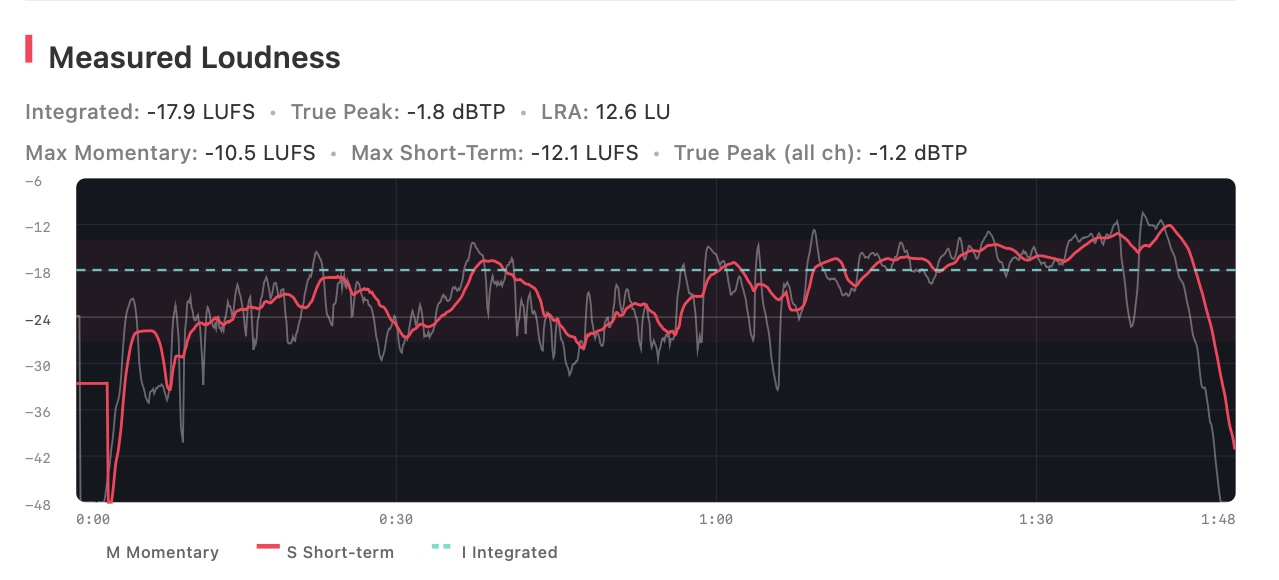
The report is captioned “Measured by Orbit (ITU-R BS.1770-4)” — a complete loudness snapshot alongside your ADM metadata, in one PDF.
True Peak LFE Toggle
You can now choose whether the LFE channel is included in the True Peak reading. A toggle below the True Peak meter lets you switch between excl. LFE (the BS.1770-4 standard default) and incl. LFE for a full-range measurement across all channels.


Switching between modes requires a stop and restart of playback. Most users will leave this on excl. LFE — it’s the BS.1770-4 default and the standard for broadcast QC.
Faster File Loading
File loading is significantly faster thanks to parallel I/O during waveform scanning. VBAP waveform rendering is now deferred until you actually switch to VBAP mode, cutting initial load time.
Enhanced Loading Screen
The loading screen now shows detailed progress: file metadata (channels, sample rate, duration, bit depth), a live waveform scan animation, and real-time throughput stats. A progress overlay also appears when generating VBAP waveforms on demand.
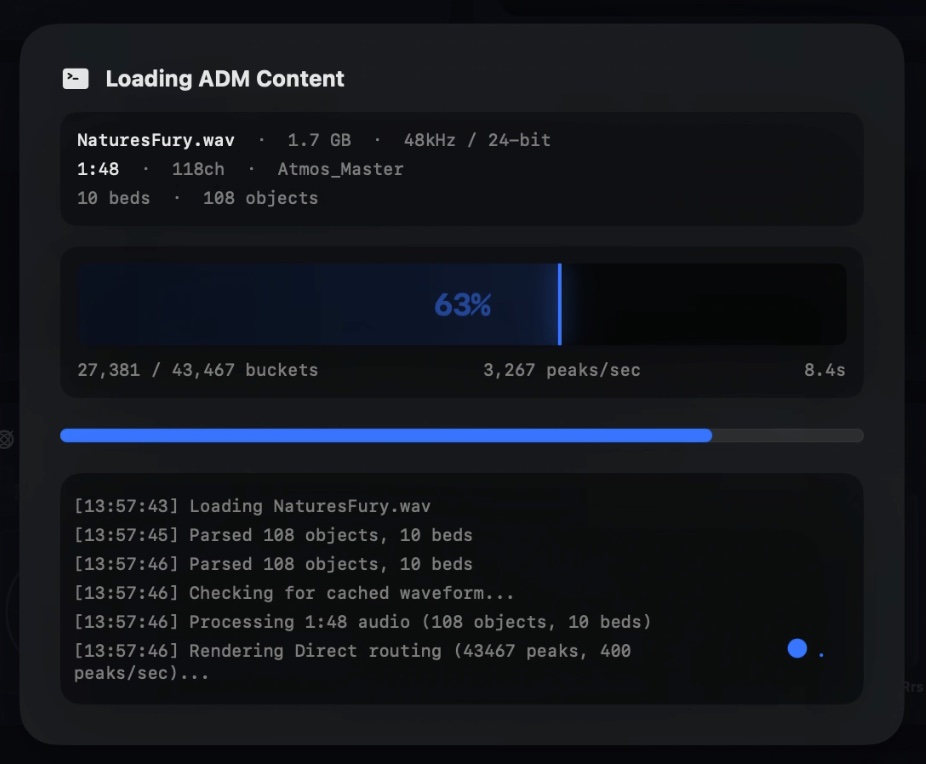
Output Routing Presets — Save, Load and Device Validation
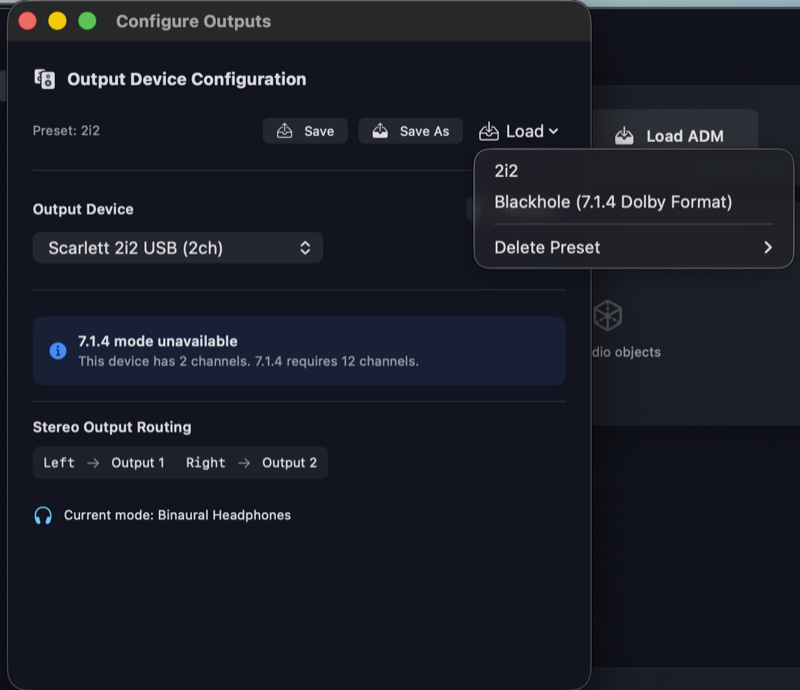
The output routing window now tracks which preset is active with a label in the presets bar. Save overwrites the active preset (with a confirmation prompt), and a new Save As button always lets you create a new preset by name. Your active preset is remembered across app launches.
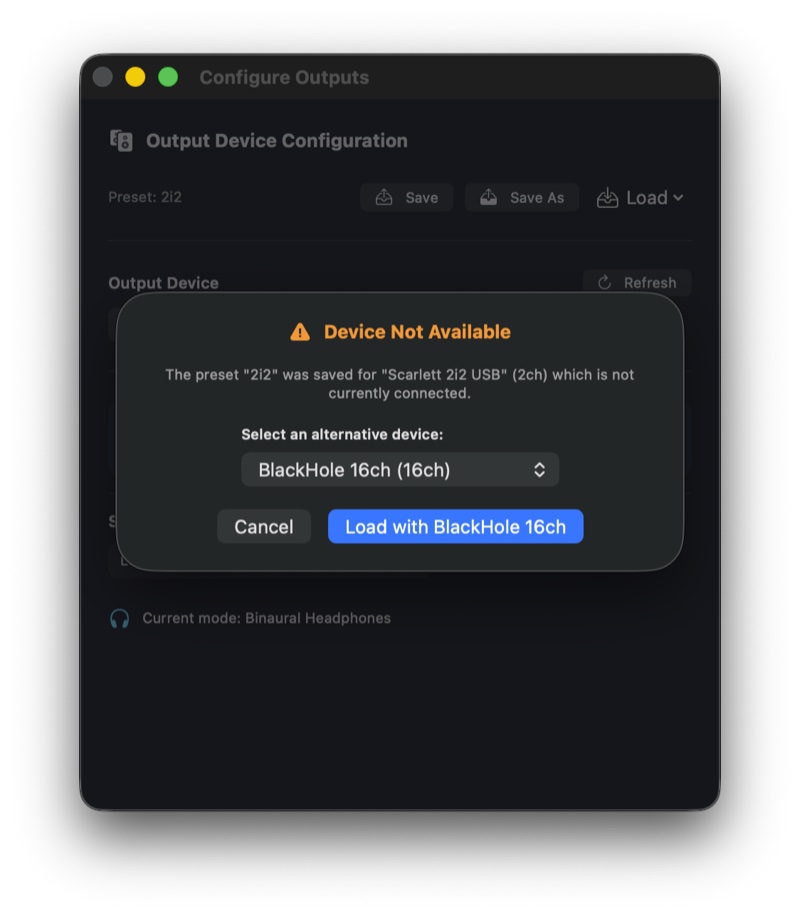
When loading a preset, Orbit now checks whether the saved audio device is still available. If it isn’t, a sheet shows which device is missing and lets you pick an alternative from your connected devices — with a warning if the replacement has fewer output channels than the original.
Activity Grid in Standard Layout
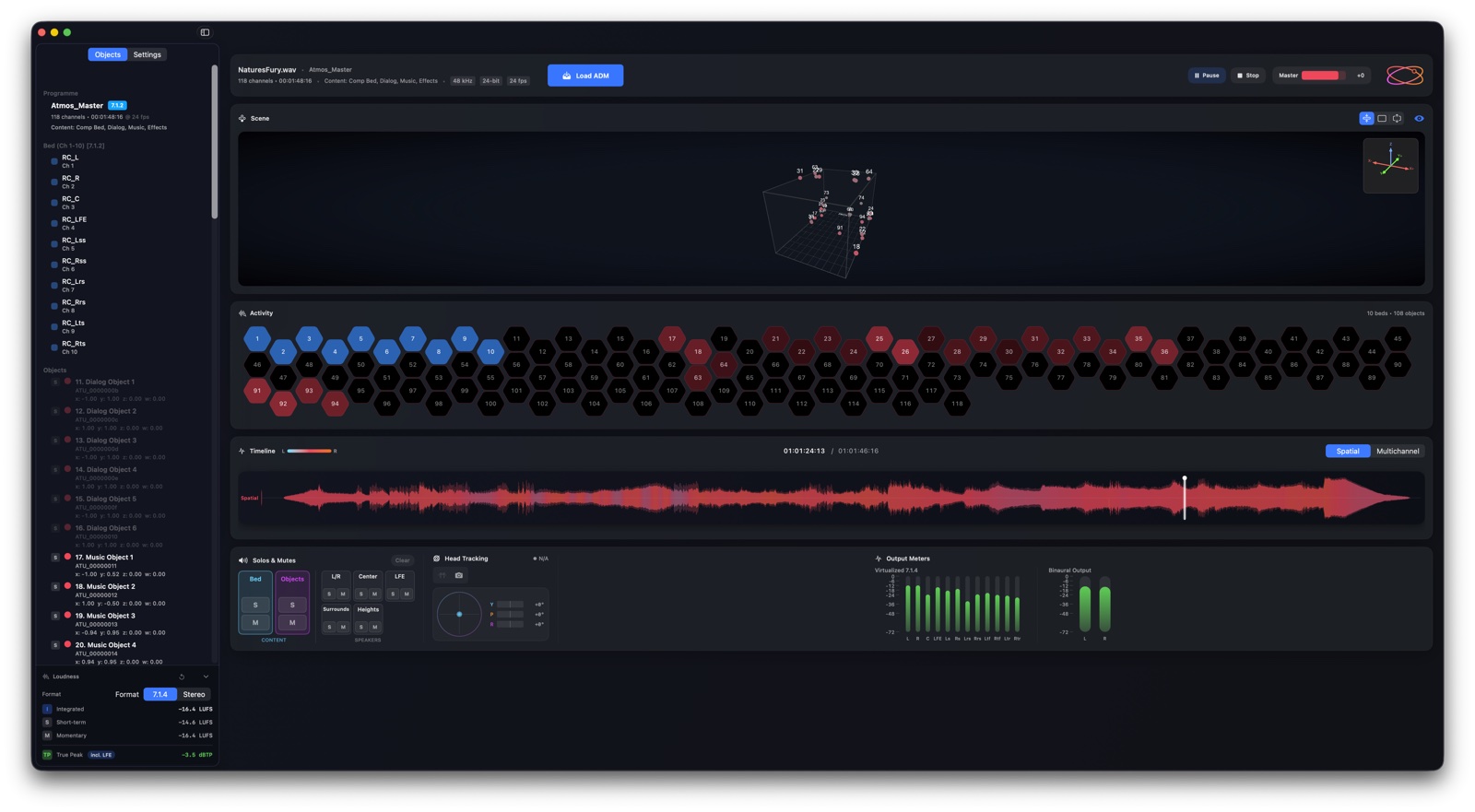
The activity grid (showing beds and objects as animated hexagonal tiles) is now visible in both Standard and Split layout modes.
Improved Head Tracking Responsiveness
Camera-based head tracking is now significantly more responsive. Smoothing filters have been reduced and rate limiting relaxed, cutting end-to-end camera tracking latency by roughly 50ms. The UI visualiser also updates at 40 Hz (up from 20 Hz) so the 3D scene keeps pace with head movements. AirPods tracking smoothing has also been tightened for snappier response.
Known Issues
- Sample rate mismatch when switching between ADM files — Loading a 96 kHz ADM file after a 48 kHz file (or vice versa) may fail to reset the audio device to the correct sample rate. Restarting the app resolves this. A permanent fix is planned for v1.2.1.
Ready to try it? Orbit is available as a free 14-day trial — no credit card required. Start your free trial or purchase a licence.