Orbit Lite 1.3 — The Immersive Mix, Against the Stereo Master
Orbit Lite 1.3 lines your stereo master up against the immersive mix so you can A/B them mid-playback. Plus a new header and footer, 7.1.4 and spatial waveform views, built-in routing and speaker testing, and metering that follows your own speaker layouts. A free update on macOS; iPhone and iPad later in October.
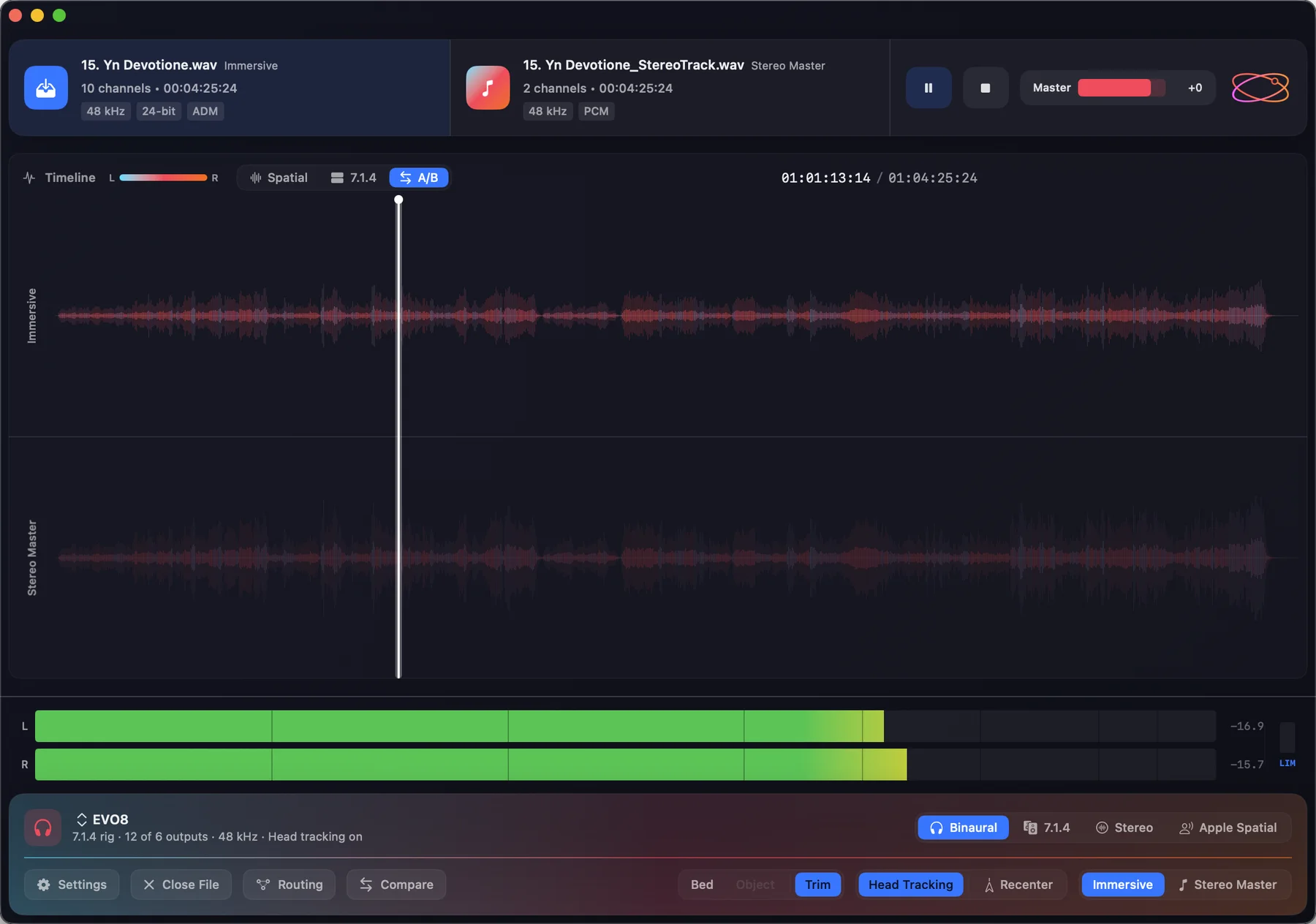
Orbit Lite has one job: open a master and hear it properly. Orbit Lite 1.3 adds the check that comes straight after — does the immersive mix still tell the same story as the stereo master?
It also brings a new welcome screen, a new header and footer, two new ways to see what is in the file, and routing and speaker testing built in. It is a free update for everyone who owns Orbit Lite.
A/B against the stereo master
Most immersive releases ship alongside a stereo master, and the two have to agree. Until now that meant two apps, two files and a lot of lining things up by hand.
In 1.3, add the stereo master — WAV, AAC or MP3 — next to your ADM. Lite locks the two together to the sample, and the Immersive / Stereo Master switch flips between them mid-playback, from exactly the same point in the song.
The timeline’s A/B view stacks both waveforms, one above the other, so you can see where they part company before you hear it.
Compare (in beta) checks the basics before you listen: channel count, sample rate and length against the master. When the stereo file doesn’t declare its loudness, it says so — and leaves the judgement to your ears.
A new welcome screen
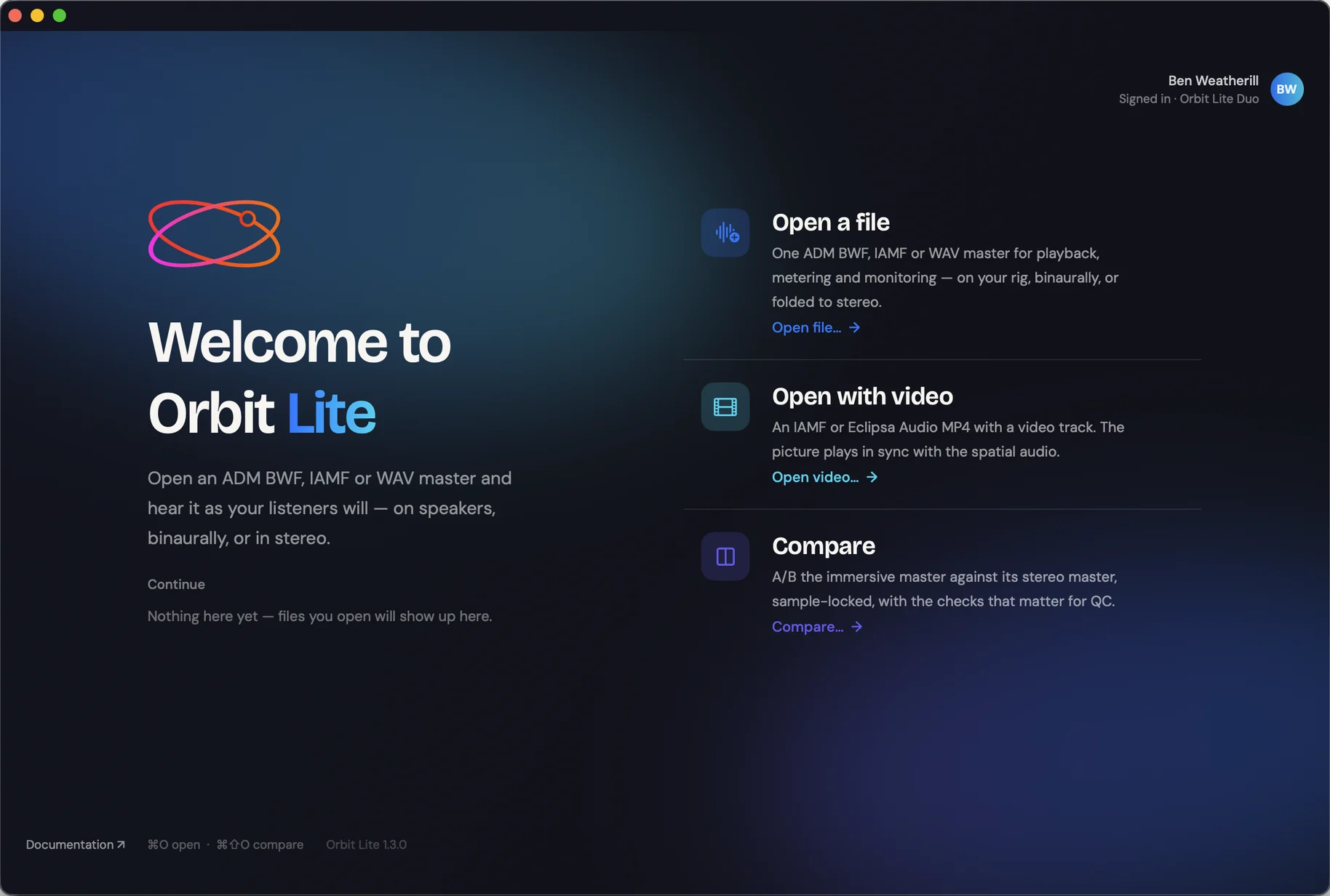
Open Orbit Lite and three ways in are waiting: open a file — an ADM BWF, IAMF or WAV master — open with video for an IAMF or Eclipsa Audio™ MP4 with picture, or go straight to Compare. Recent files sit underneath, ready to pick up where you left off.
A new header and footer
The header is new: the immersive master and the stereo master sit side by side, each with its format, channel count, length and sample rate at a glance, next to the transport and master level.
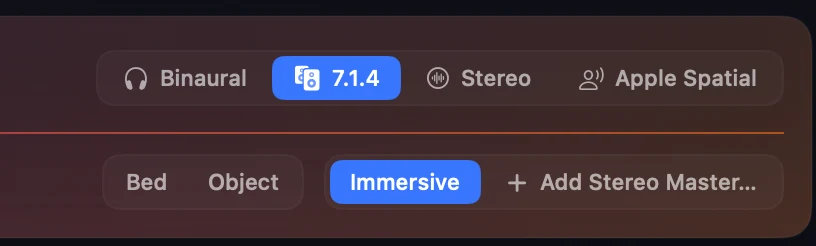
The footer is new too. Your output device and rig sit on the left, the four ways to listen on the right, and the controls you reach for most — Settings, Routing, Compare, Bed and Object, head tracking, and the Immersive / Stereo Master switch — in one row beneath.
Both work in light and dark, or follow your Mac’s setting:
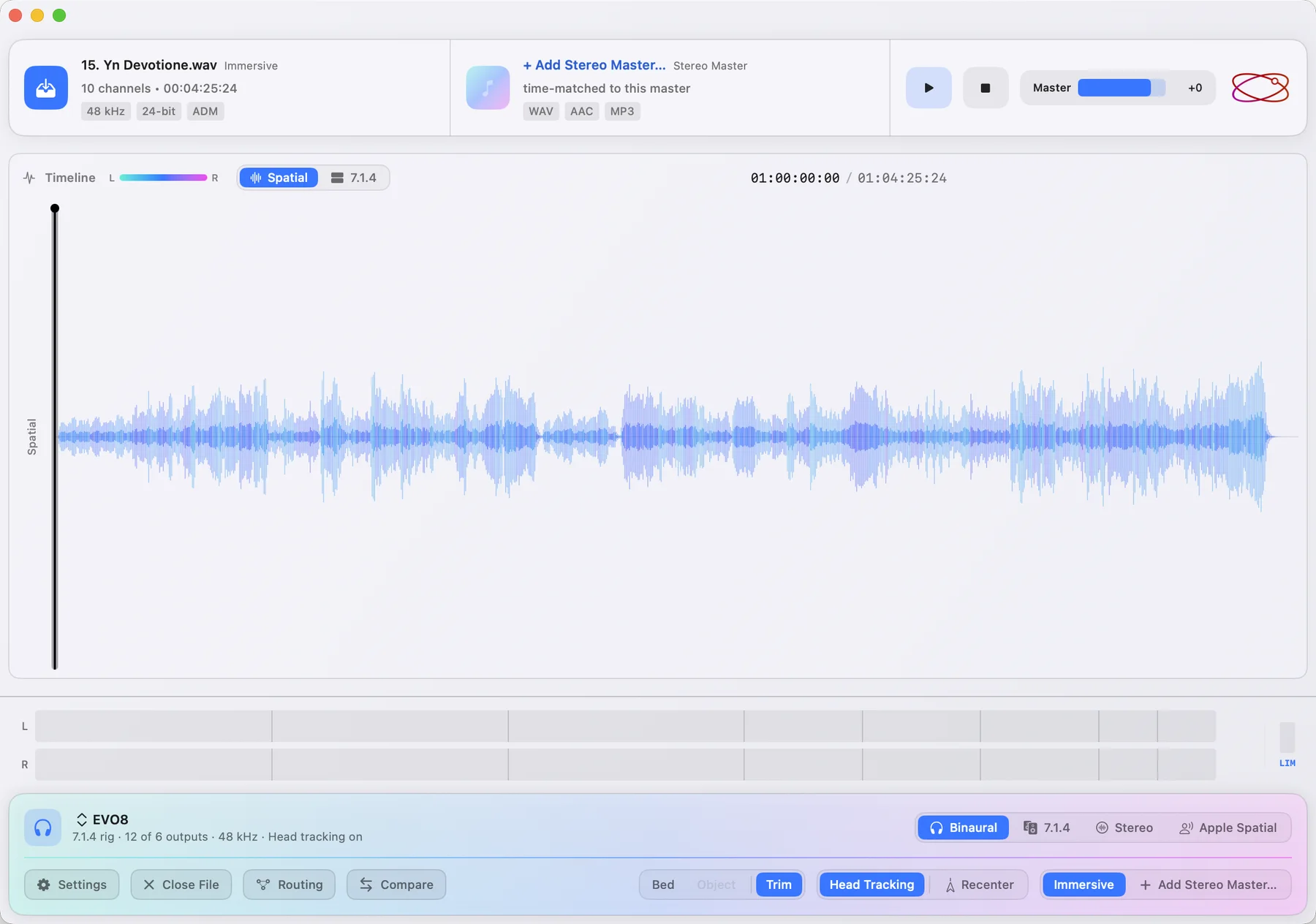
Light
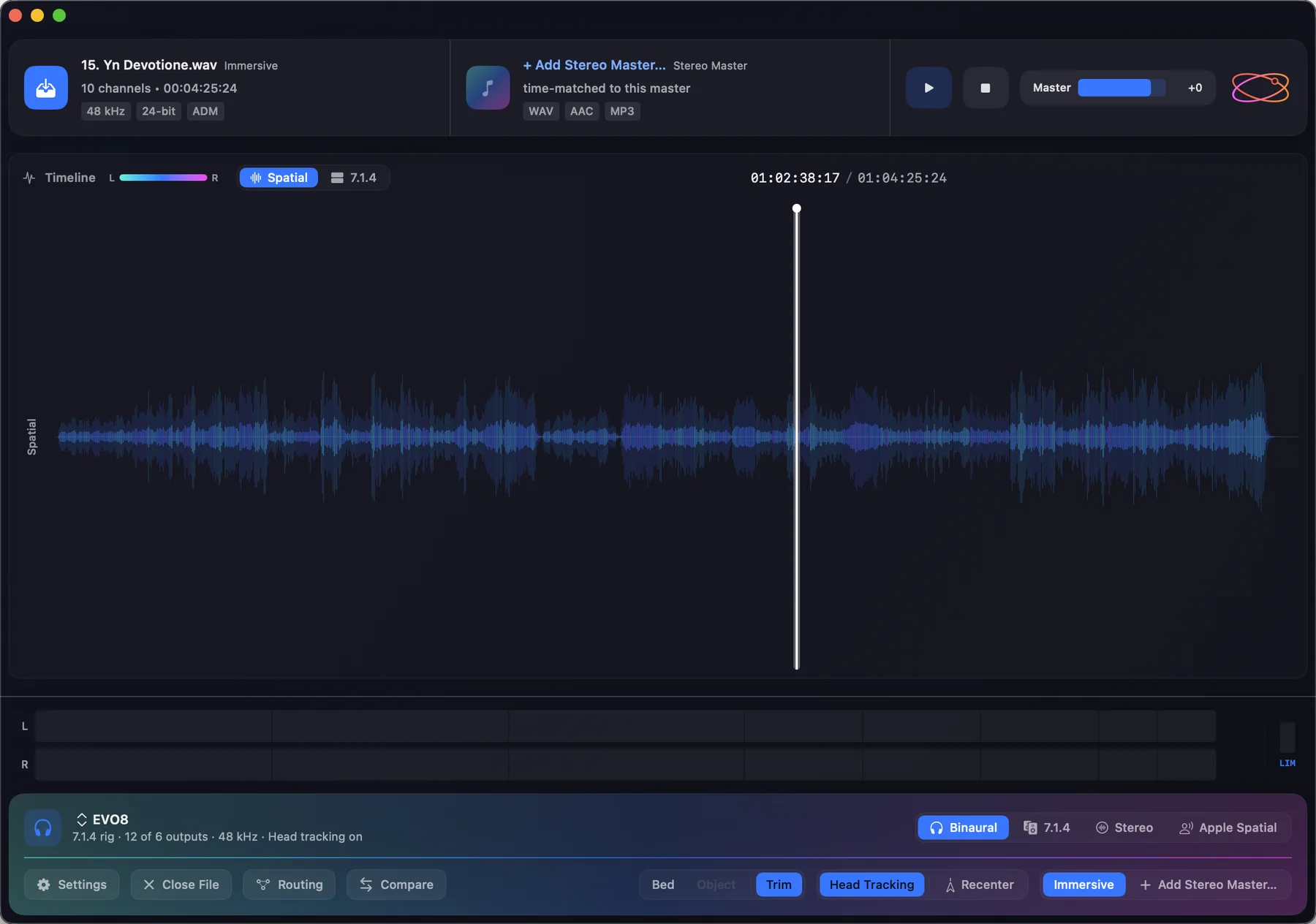
Dark
And you still choose the colours: the spatial waveform and each lane of the 7.1.4 view have their own palettes.
And there’s a new app icon to go with it.
See where everything sits
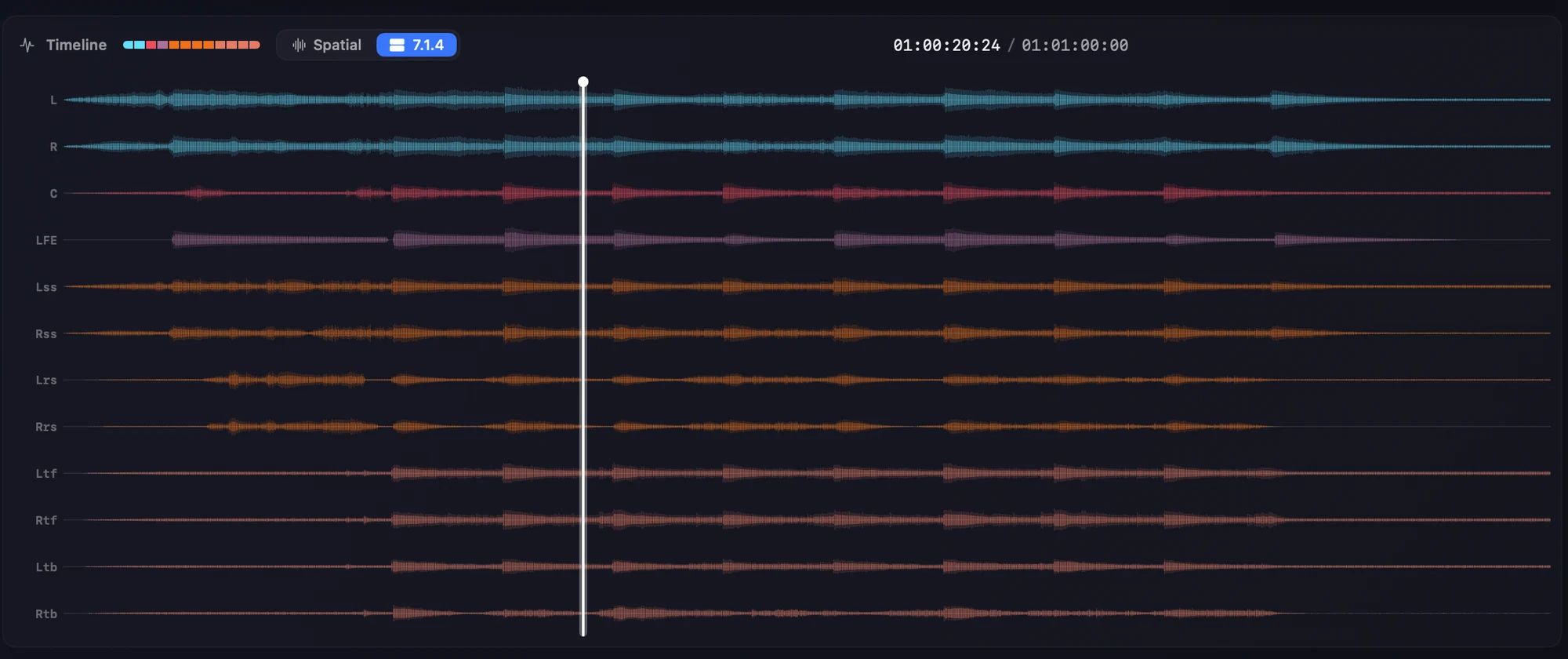
The timeline now has two views.
7.1.4 runs the master through OrbitCore, our own immersive audio engine, and lays the fronts, sides, surrounds, heights and LFE out as their own colour-coded lanes. It is a view only — monitoring out to 5.1, 9.1.6 or anything else is untouched.
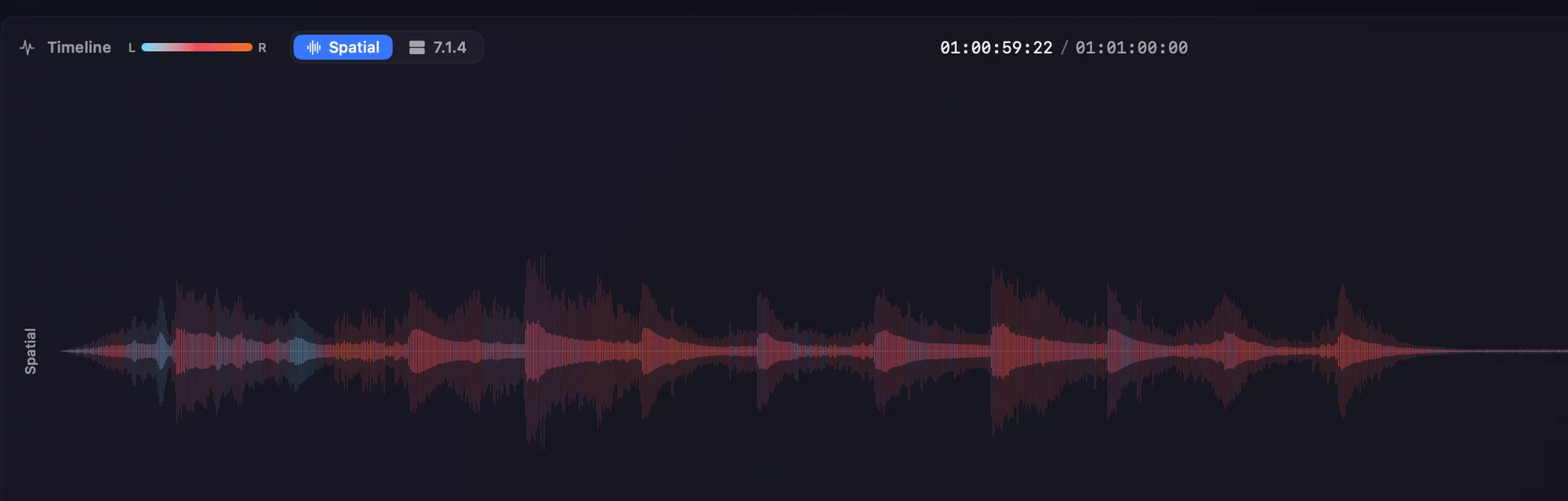
Spatial shows one waveform, coloured by where the content sits from left to right — blue on the left, through pink, to orange on the right.
Routing and speaker testing, built in
Send each channel to the output it belongs on with the routing matrix, then fire noise at one speaker at a time and listen for which one answers. A swapped pair or a dead top shows up in seconds, not halfway through a session.
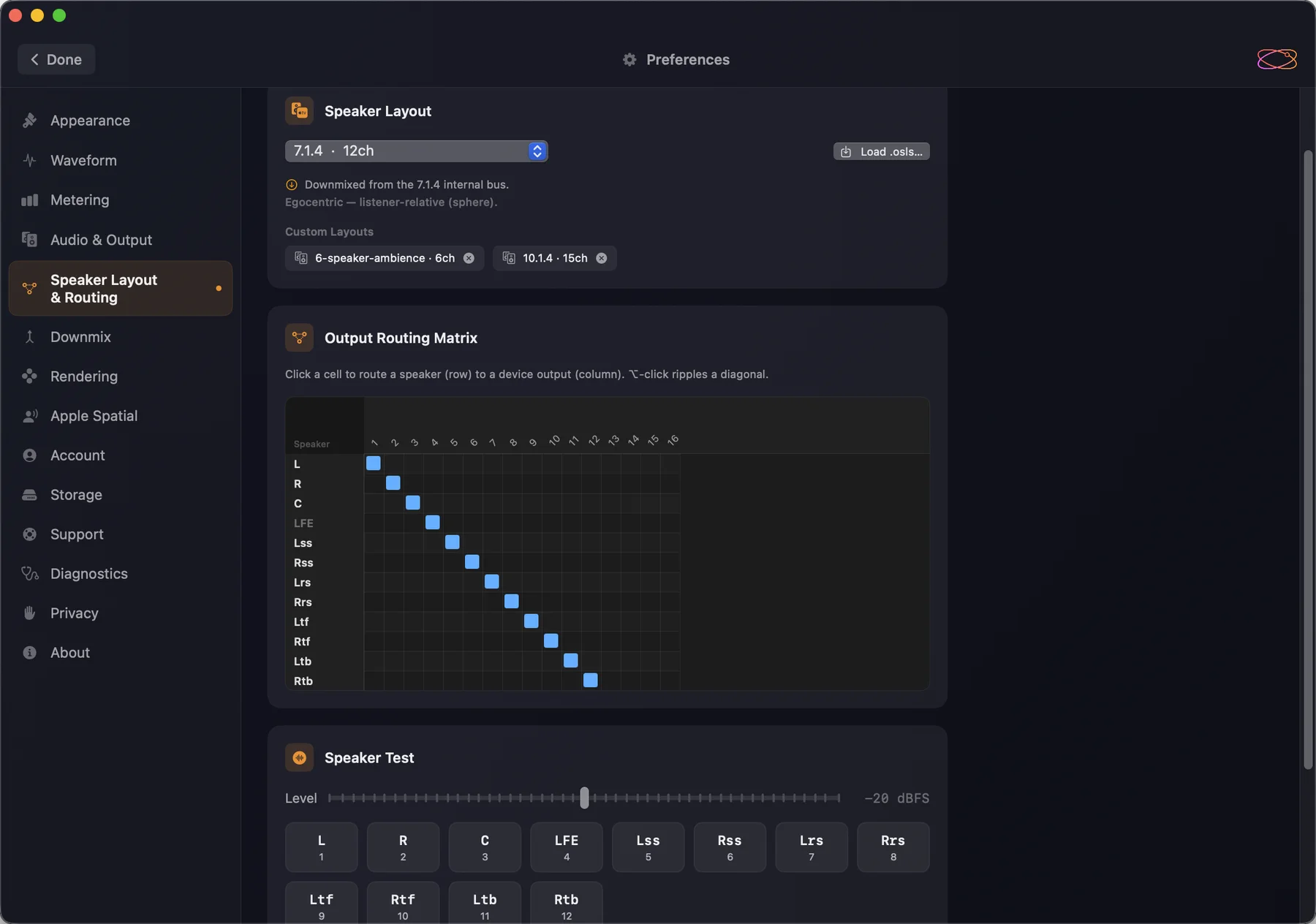
As before, Orbit Lite plays to custom speaker layouts of up to 24 channels described in OSLS, our open speaker-layout format — for unusual rooms and custom rigs that no preset quite fits. Load a .osls file and Lite plays to it properly rather than folding it into something close enough.
Metering that follows your layout
The meter bridge shows every channel of whatever you are playing out to — a 7.1.4 rig:

— or a custom 10.1.4 one, wides and centre back included:

Four ways to listen
Binaural, your speaker layout, stereo and Apple Spatial Audio sit side by side in the footer — every one rendered by OrbitCore from the same speaker feeds, so what you hear on headphones is what the rig is doing.
Eclipsa Audio™, before YouTube
Orbit Lite plays Eclipsa Audio™, also known as IAMF, right up to the latest draft of the specification — the Simple, Base and Base-Enhanced profiles, objects included. Open the .iamf or .mp4 you are about to upload and hear it before your listeners do, with picture in sync at up to 4K. More on playing IAMF and Eclipsa Audio™ files.
iPhone, iPad and Windows
Orbit Lite 1.3 is out now on macOS. iPhone and iPad follow later in October, and one licence covers all three. The Windows date is still to be confirmed.
Orbit Lite 1.3 is a free update for everyone who owns Orbit Lite — download it from your account. New here? Orbit Lite is a one-time £35 for Mac, iPad and iPhone, with a 14-day free trial.
Start the 14-day trial · See everything Lite does
— The Orbit Spatial Team