Sneak peek: Headphone EQ in Orbit 1.4
Orbit 1.4 adds a Headphone EQ panel — AutoEq-derived compensation curves for popular headphones plus a five-band tone control, all running inside Orbit's own signal chain.
Most of us don’t mix on flat headphones. We mix on the headphones we own — the HD 650s we’ve had for a decade, the DT 770s from the last studio, the AirPods Max that followed us onto the train. Every one of them has a voice. And that voice quietly shapes every decision we make.
Orbit 1.4 does something about it.
What’s new
Headphone EQ is a new panel in Preferences, and it does two things at once.
While we’re here — that screenshot is also your first look at Orbit 1.4’s redesigned Preferences window. Most settings now live in one place, clearer and easier to change.
Why it matters
Orbit’s job is to show you your mix honestly. Headphones are part of that chain, and they’re almost never neutral. Compensation levels the playing field so what you hear is closer to what’s actually in the file.
Headphone EQ closes the loop. Compensation handles what’s objectively wrong with the transducer. Tone handles what’s subjectively right for the session in front of you. Together, they let you hear the spatial rendering Orbit is producing, not the coloration your headphones are adding on top.
And because it’s parametric and runs inside Orbit’s own signal chain, there’s no plugin to insert, no system-level EQ to forget about, no routing to break. Turn it on and it’s there. Turn it off and it’s gone.
One more thing — Orbit Monitor is taking a bit longer
While we’re on the subject of 1.4: we’ve chosen to delay Orbit Monitor.
It was originally scheduled to ship this month, but getting Headphone EQ right — and the other pieces of 1.4 alongside it — raised our bar for what “ready” looks like. We’d rather hold the release than put Orbit Monitor out without the same level of care.
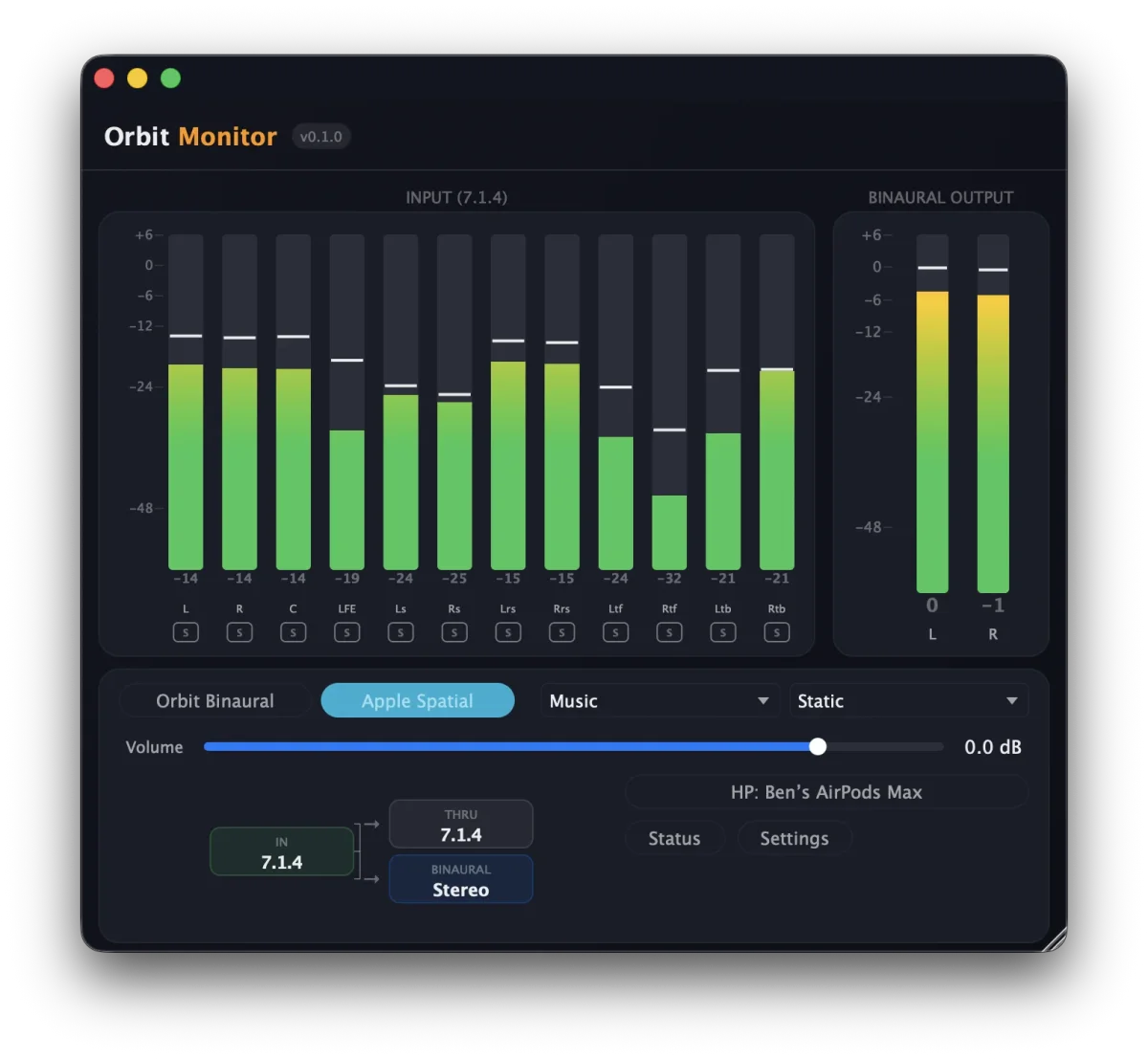
If you haven’t seen it yet, Orbit Monitor is a smaller companion to the main Orbit app. It’s binaural monitoring for your DAW — check what your mix sounds like through Apple Spatial Audio or our built-in HRTFs (Orbit Studio, Orbit Reference, plus SADIE II). It runs as a standalone app or as an AU / VST3 plugin, with AirPods Pro and AirPods Max head tracking. macOS only. £49 one-time.
No new date yet — we’ll announce it when it’s right. In the meantime, here’s the full rundown.
Coming soon
Orbit 1.4 is landing shortly. Headphone EQ is one of several things in it — more previews in the coming days.
Parametric curves derived from AutoEq (MIT Licence). AutoEq data © Jaakko Pasanen.