A Refreshed Look: Thanks to Our Testers
Orbit's polished new interface is the result of invaluable feedback from our alpha and beta testers. Here's what's changed.
As we approach Orbit’s launch in February, we’re excited to share the refined look and feel that’s emerged from months of testing and feedback. None of this would have been possible without our incredible alpha and beta testers.
Built by the Community
When we first shared Orbit with our alpha testers, the core functionality was there - but the interface needed work. Over the past few months, we’ve received feedback, bug reports, and suggestions that have shaped every aspect of the app.
To everyone who took the time to test, report issues, and share their thoughts: thank you. Orbit is better because of you.
What’s New
Refined Visual Design
The entire interface has been polished with a cleaner, more professional aesthetic:
- Improved contrast and readability - Text and UI elements are now easier to read during long sessions
- Refined card styling - Panels and sections have subtle depth and cleaner borders
- Better colour consistency - The purple and blue accents now work harmoniously throughout
Activity Monitor
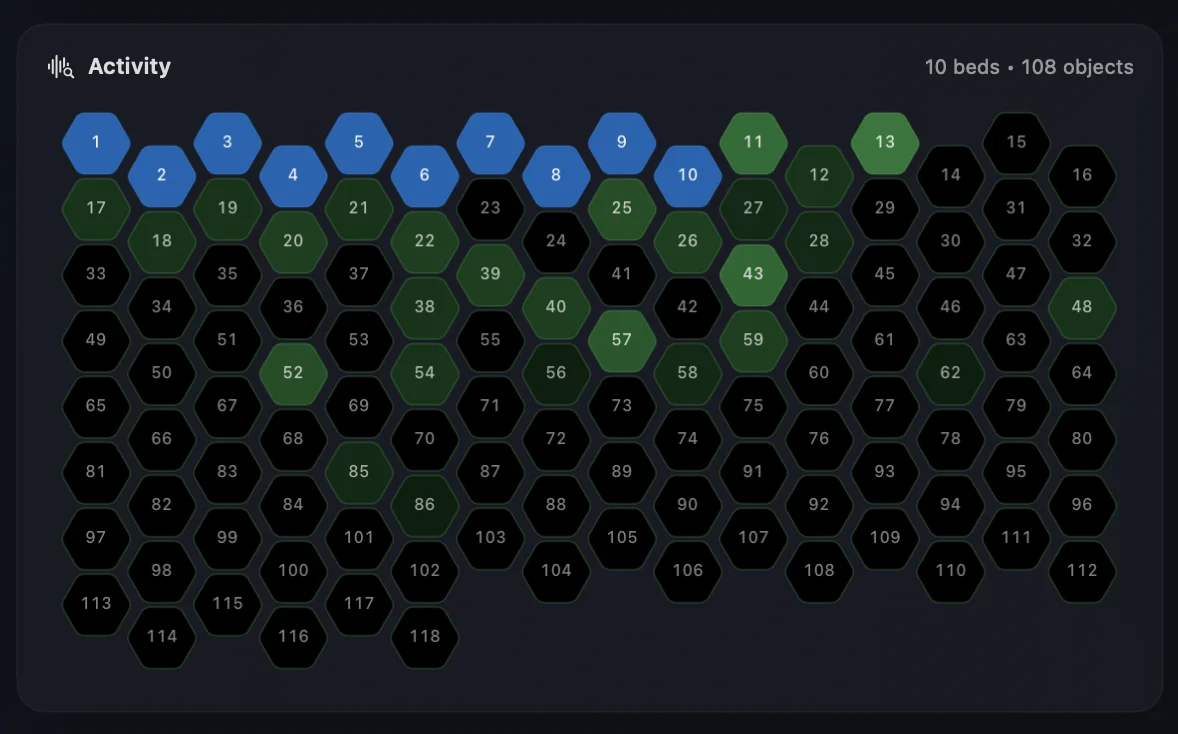
One of the most requested features was better visibility into what’s actually playing. The new hexagonal Activity view shows all 118 channels at a glance - 10 beds and 108 objects - with real-time activity indication so you always know exactly what’s sounding.
Click any hexagon to select an object and view it in the Scene or the detailed Object sidebar. Double-click to solo. Simple, but powerful.
Enhanced 3D Scene
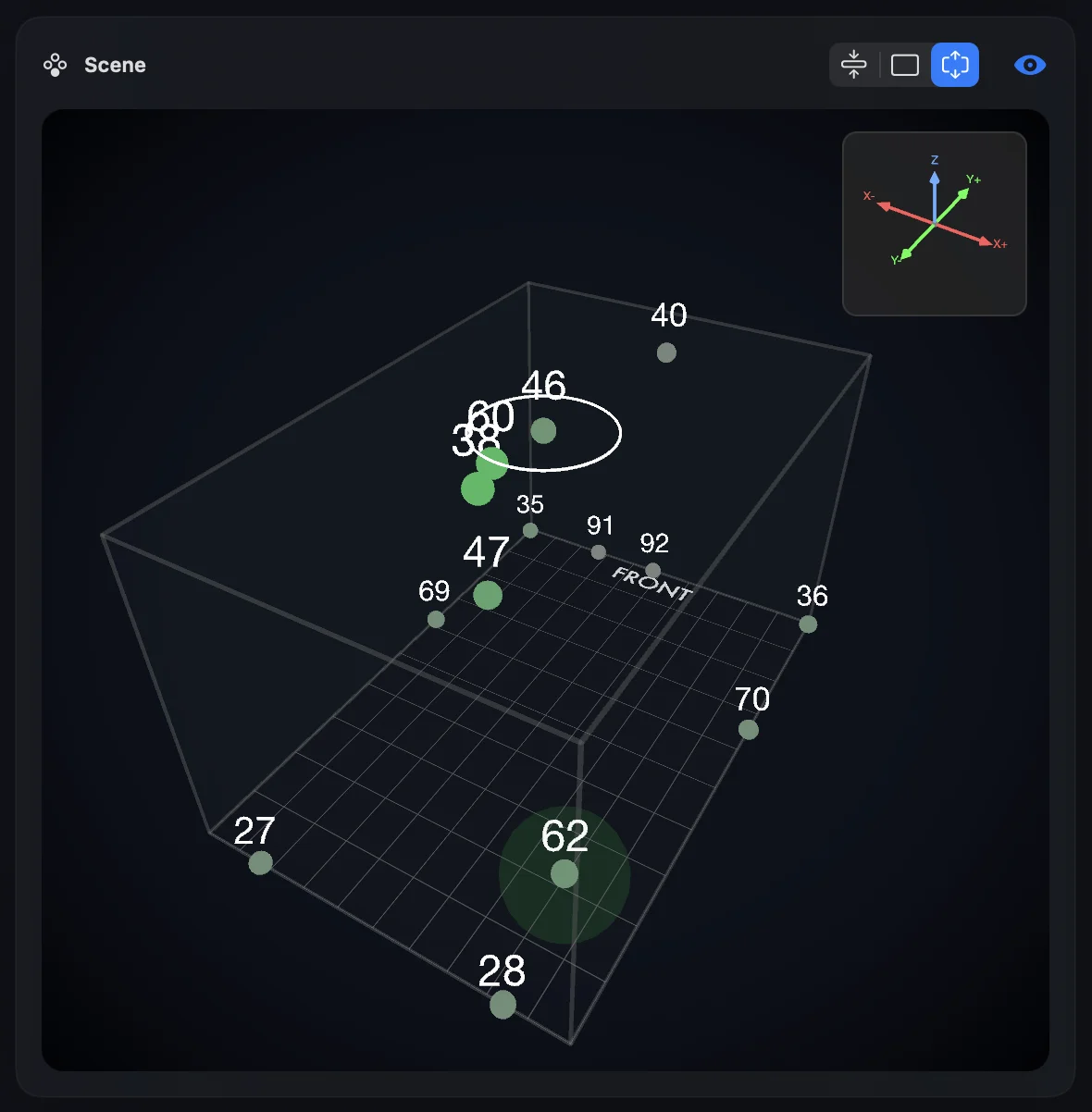
The spatial visualization has been refined with clearer object labels, improved depth perception, and smoother animations. Tracking object movement through the 3D space is now more intuitive than ever.
A new coordinate gizmo - just like you’d find in a game engine - shows the X, Y, and Z axes so you always know your orientation. We’ve also added two room modes: a 1:1:1 cube for viewing exact Cartesian coordinates, or a 2:3 room aspect ratio that feels more familiar if you’re coming from other immersive audio tools.
Head Tracking UI
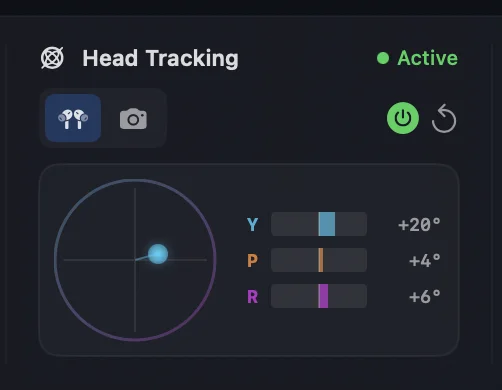
The head tracking panel now clearly shows Yaw, Pitch, and Roll values with visual feedback, making it easy to see exactly how your head movements are being tracked - whether you’re using AirPods or camera-based tracking.
Detailed Waveform
Testers asked for a more detailed waveform view - and we delivered. The new timeline display shows a high-resolution waveform with both Spatial and Multichannel views, making it easier to navigate through your mix and identify specific moments.

Listening to Feedback
Some of the changes came from obvious suggestions. Others emerged from watching testers use the app and noticing small friction points they’d never think to mention. Both types of feedback were invaluable.
A few examples of tester-driven improvements:
- “The object numbers are hard to read when they overlap” - We improved label positioning and added better contrast
- “I can’t tell which objects are actually making sound” - This led to the Activity monitor feature
- “The meters are great but I want to see the binaural output too” - We added the dedicated Binaural Output meters
- “I want to see more detail in the waveform” - We added the high-resolution waveform display
What’s Next
With the UI refinements complete, we’re now focused on final stability testing and documentation. Orbit launches in early February 2026, and we couldn’t be more excited to share it with everyone.
If you haven’t already, register your interest to be notified the moment Orbit is available.
And once again - to our testers: this one’s for you.